Development Newsletters
Release: 04-11-2026
List of new features and major fixes for this release:
Adding or confirming your email address
We have been working towards introducing single sign-on (SSO) to AdOcean. As the next step in these preparations, users will be required to add or confirm the email address associated with their account.
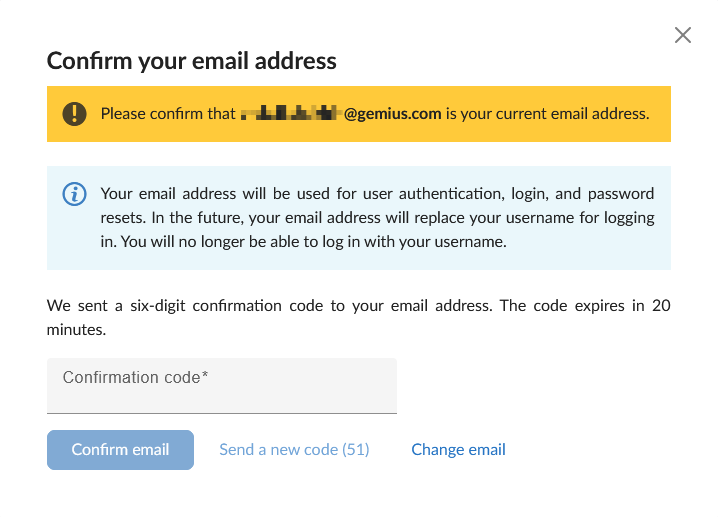
If your account already has an email address, you will be asked to verify it by entering a six-digit confirmation code sent to that address.
If the address is no longer active or you no longer have access to it, you will need to enter a new email address and provide your AdOcean account password to confirm the change. You will then be asked to verify the new address using a six-digit confirmation code.
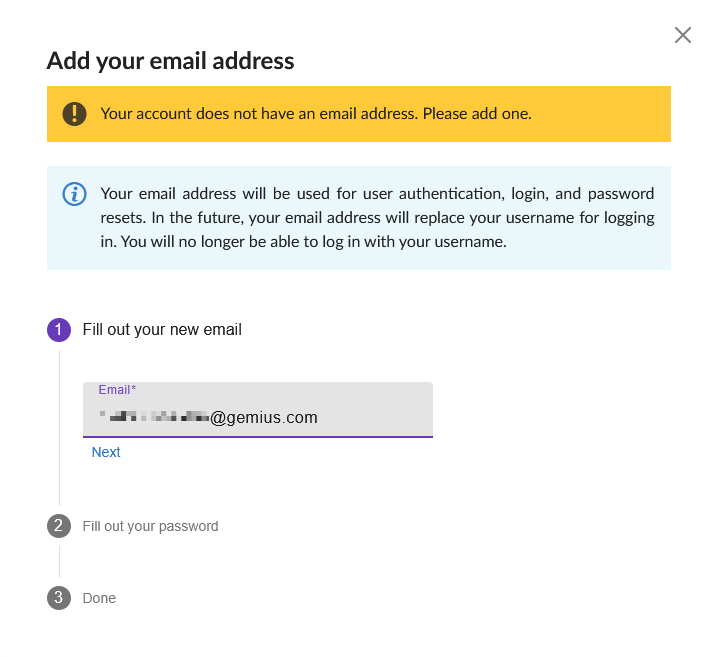
If your account does not have an email address, you will be asked to add one and verify it using a six-digit confirmation code.
Confirmation codes will be sent from adocean@adocean-global.com.
API updates
The following fields will be added to API responses:
GetUserInfo: a newhasVerifiedEmailfield indicating whether the user has a verified email address.GetCreativeTemplatesList: a newcommentfield.GetCreativeTemplatesList: a newdemoTemplateURLfield containing the URL of the corresponding template demo page on the AdOcean demo page.
All additions are backward compatible.