Development Newsletters
Release: 11-02-2026
List of new features and major fixes for this release:
Campaign access changes
This release introduces changes to how access to a campaign and its statistics is granted for additional users - from now on, access can be granted to multiple Adspace Managers, rather than being limited to a single user as before. As part of this update, the Campaign Owner feature is being removed.
Please note that this release is backward-incompatible due to the API changes described in the following section.
At this moment it is possible to assigned below type of users:
- AdspaceCampaignManager
- AdspaceCampaignManagerAndAdministrator
- LimitedCampaignManager
- AliasUserAndCampaignManager - access to all campaigns;
- AliasCampaignManager - access to all campaigns;
- AliasLimitedCampaignManager - access to campaigns it has been assigned to;
- Analyst - access to all campaigns;
- AdspaceCampaignManagerAndAdministrator - access to campaigns it has been assigned to;
- AdspaceCampaignManager - access to campaigns it has been assigned to;
- AdspaceAnalyst - no access to campaigns;
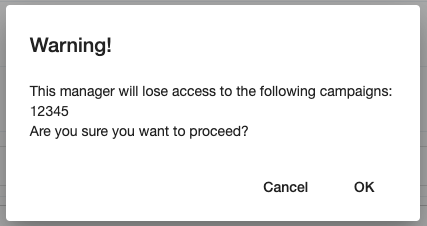
Please note that removing an Adspace Manager’s access to an adspace will also revoke their access to any campaign associated with that adspace. The system will display an appropriate warning before the access is removed.
Interface changes related to the release:
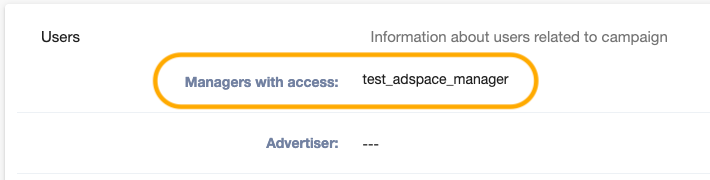
- A new “Managers with access” field has been introduced in the Users tab of the campaign edit view. Access modifications are restricted to the UserAndCampaignManager alias. The list of assigned users is visible to all users with campaign access.
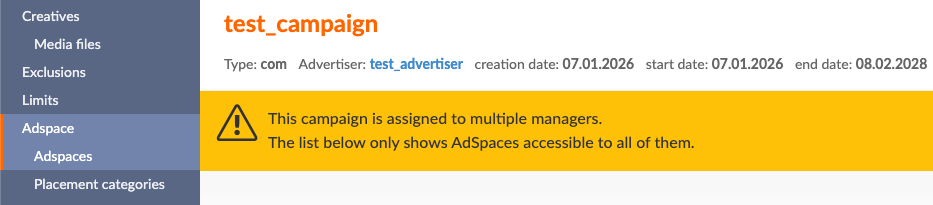
- When campaign has Adspace Managers assigned - warning about limited adspace choices is being displayed in adspace assigning tab.
- A warning is shown during adspace access removal for an Adspace Manager when the action would cause campaign access to be revoked.
API changes
The API changes described below are related to the release outlined in the previous section. Please note that these changes are backward-incompatible.
New commands:
- AddCampaignAccess - grant access to a campaign.
- DeleteCampaignAccess - removes access to a campaign.
- GetCampaignAccessesList - returns a list of managers assigned to a campaign.
- GetCampaignAccessCandidates - returns a list of managers eligible to be assigned to a campaign.
Modifications to already existing commands (backward-incompatible):
- GetAdspaceIncomePeriods - now requires the adspaceId parameter.
- DeleteAdspaceAccess - now accepts a new force parameter, which forces the removal of adspace access from an Adspace Manager along with access to any campaign where the user is assigned as a manager and campaign had this adspace assigned.
Deleted commands (backward-incompatible):
- GetCampaignOwnerCandidates - replaced by the GetCampaignAccessCandidates command.
Parameters to be removed from commands (backward-incompatible):
- AddCampaign - the ownerID parameter is being removed.
- UpdateCampaign - the ownerID parameter is being removed.
- GetCampaignsList - the ownerpublisherid parameter is being removed. Filtering by owners is no longer supported.
Video Creative access
We are pleased to inform you that all accounts now have access to video creative features. This update includes the following capabilities:
Creating video creatives using any global video template
You can now create video creatives based on any available global video template. All supported video statistics are available for these creatives.
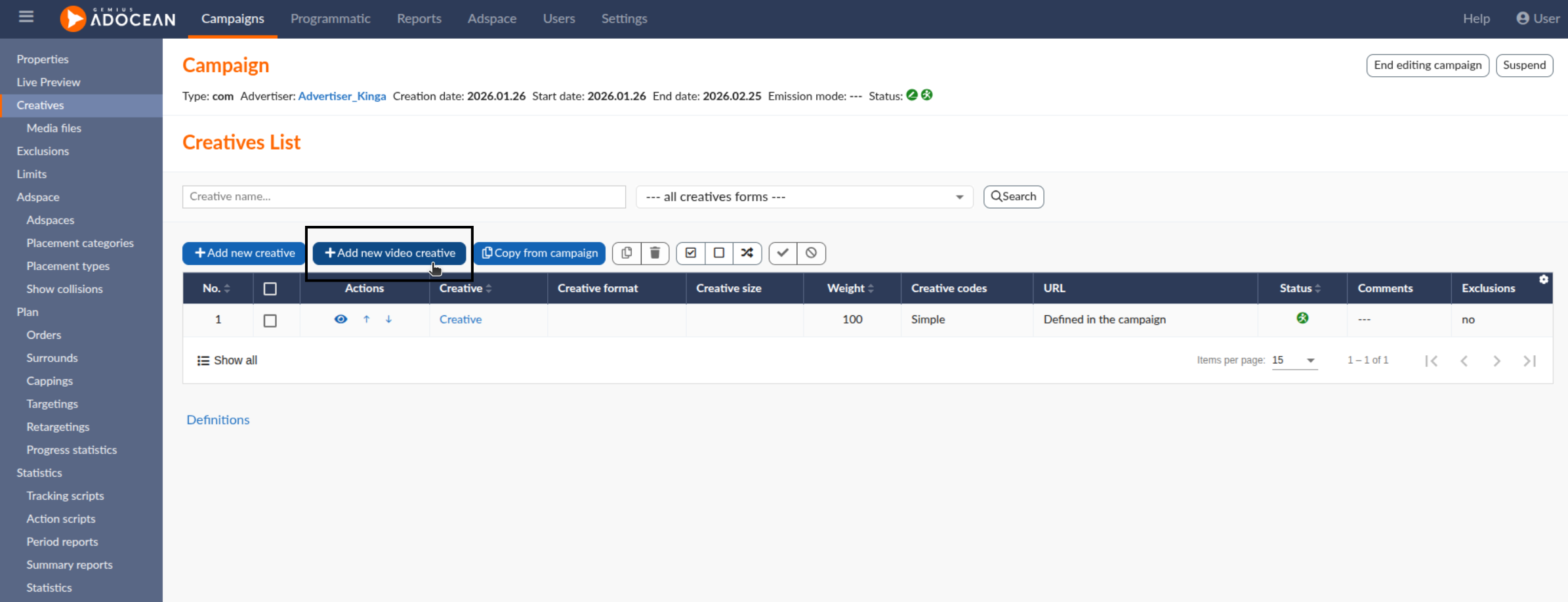
To create a video creative with video statistics enabled, simply click “Add new video creative”.
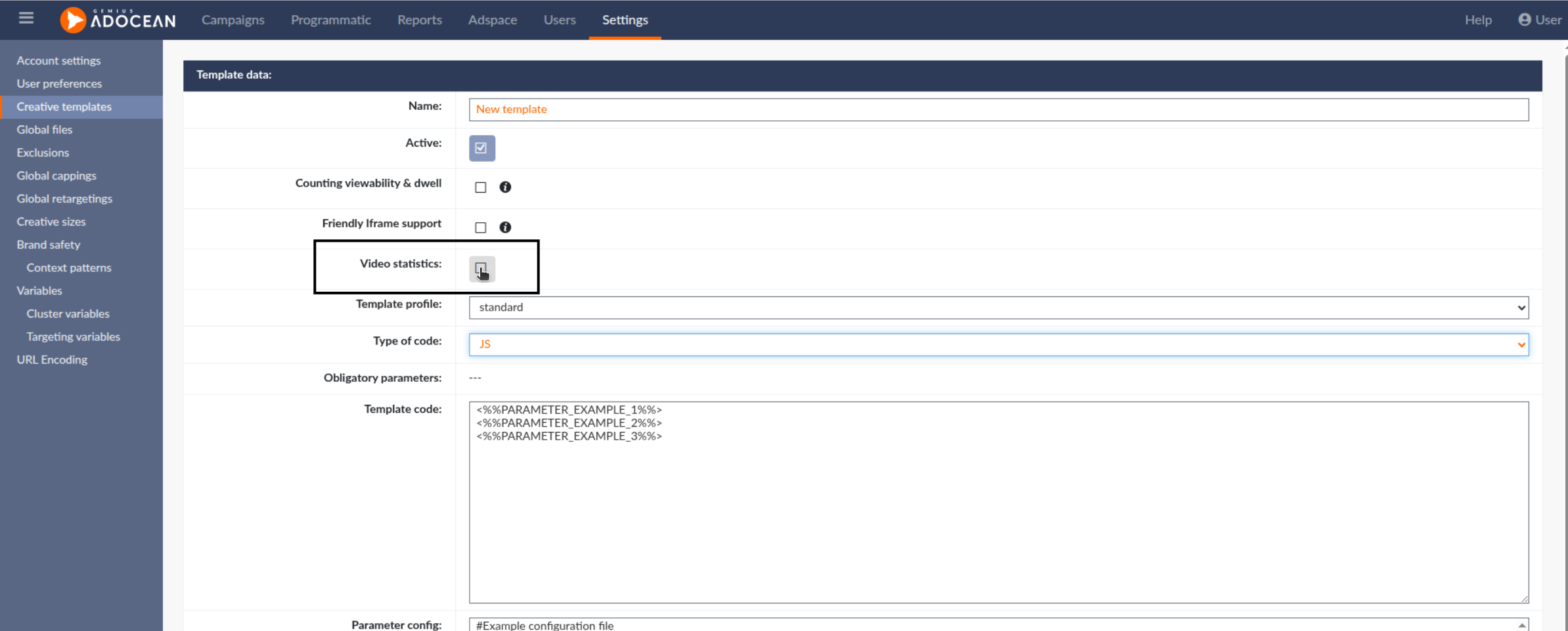
Creating custom video templates
All accounts can now create their own video templates. When creating a video template, please remember to enable “Video statistics” to allow video statistics tracking.
Access to video placement profiles
All accounts have now access to the following video placement profiles:
- VAST 2
- VAST 3
- VAST 4.1
- Prebid VAST 3
- VMAP
This ensures full flexibility when configuring video campaigns.